
How to download a video from an eBay listing
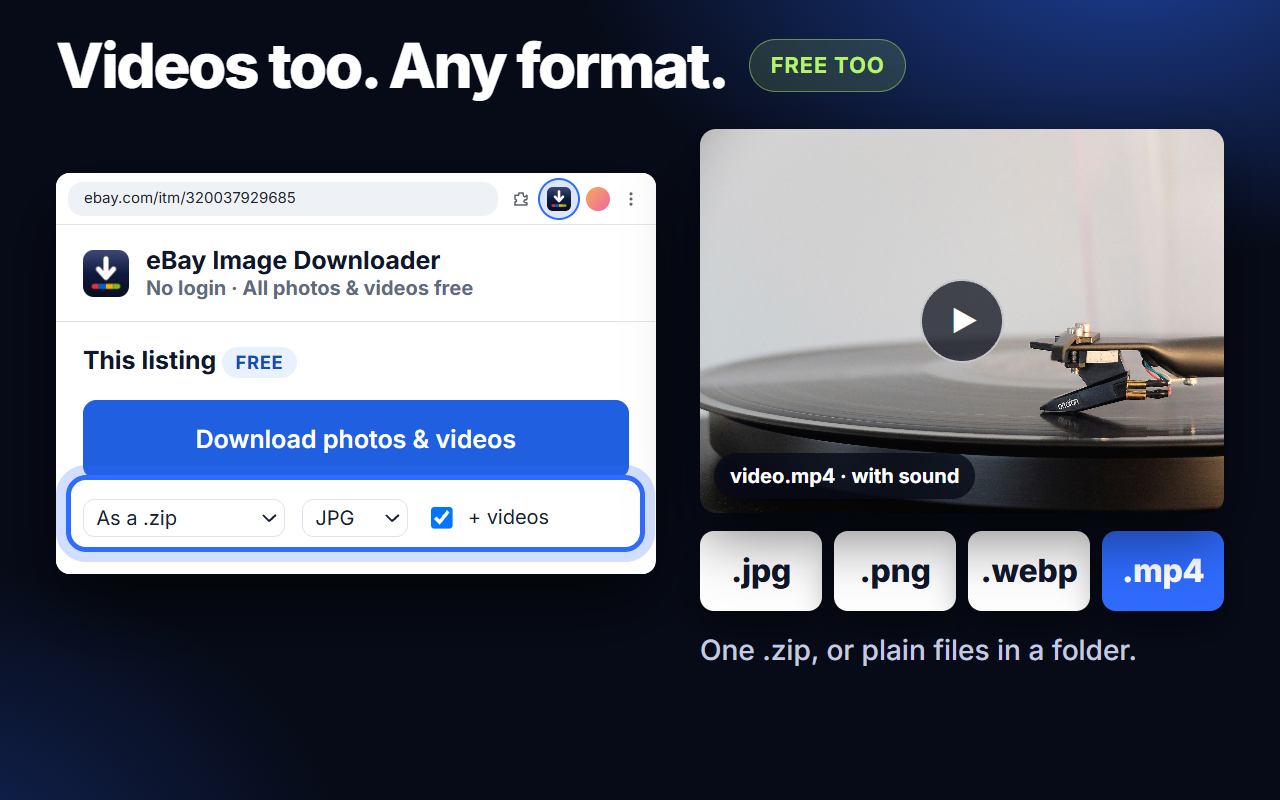
Short answer. You cannot right-click and save a video on eBay: there is no "Save video as" option, because eBay does not send the video as one file. The free Chrome extension eBay Image Downloader saves the listing's video as a normal .mp4, with sound, together with all the photos. No account, no limit.
Three steps
- Install eBay Image Downloader from the Chrome Web Store.
- Open the eBay listing that has the video, then click the extension icon (white arrow on a dark blue square, top right of Chrome).
- Click "Download photos & videos". The video lands in your Downloads folder as
video.mp4, next to the photos.
There is no sign-up, no e-mail to give and no Google login.
Why "Save video as" does not exist on eBay
A photo on eBay is one file, so the browser can save it. A video is different: eBay streams it in small pieces of about three seconds each, with the picture and the sound sent separately. The browser plays the pieces one after another, and never holds a single video file that it could save.
The extension fetches those pieces, puts the picture and the sound back together, and writes one ordinary .mp4 that plays in any player and uploads anywhere.
A real example
A vacuum cleaner listing with a one-minute video and 7 photos. One click gives:
01.jpgto07.jpg, full sizevideo.mp4: 60 seconds, 1280 × 720, with sound, 24 MB
What you can choose
- One .zip or separate files. The .zip is the fastest. Separate files arrive straight in a folder, nothing to unzip.
- Photo format: JPG, PNG or WebP.
- Videos on or off: untick "Videos too (.mp4)" if you only want the photos.
Videos from a whole store
With Pro ($29, one-time, no subscription), the extension goes through every listing of a store, a seller, a search or your own Seller Hub, and saves the photos and the videos of each one into its own folder.
Measured on a real store: 782 listings, 5,345 photos and 161 videos in 6 minutes.
Limits
- The video is saved in the quality eBay serves, up to 1280 × 720 in our tests. eBay does not keep the seller's original file.
- Only videos in the listing's photo gallery are saved. A video embedded in the description from another site (YouTube, for example) is not an eBay video.
- It needs a computer. Chrome on phones does not accept extensions.
- Works on eBay in the US, the UK, Canada, Australia, Germany, France, Italy and Spain.
Troubleshooting
- There is no video in my download. Check that the listing really has one: it shows a play button in the photo gallery. Also check that "Videos too (.mp4)" is ticked in the extension.
- Chrome asks where to save every file. Chrome is set to "Ask where to save each file before downloading". Choose the .zip (one question only), or turn that setting off in Chrome, under Downloads.
- I can't find the file. The last screen has a "Show my files" button that opens the right folder.
- The page is not recognised. eBay changes its pages from time to time. Click "Report broken page" and it gets fixed.
Questions
Is it free?
Yes. Every photo and video of a listing, as often as you like, without an account. Only the whole-store download is paid, once.
Does the video have sound?
Yes. Picture and sound are joined into one .mp4.
Can I download the video of my own listing?
Yes. It is a simple way to get back a video you no longer have on your phone or computer.
Can I reuse another seller's video?
A video belongs to the person who made it. Download your own, or ask the seller before reusing theirs.
Is my data collected?
No. No account, no analytics, no ads. The files go straight from eBay to your computer.
eBay Image Downloader is published by Modulia. Not affiliated with eBay Inc.; eBay is a trademark of eBay Inc.